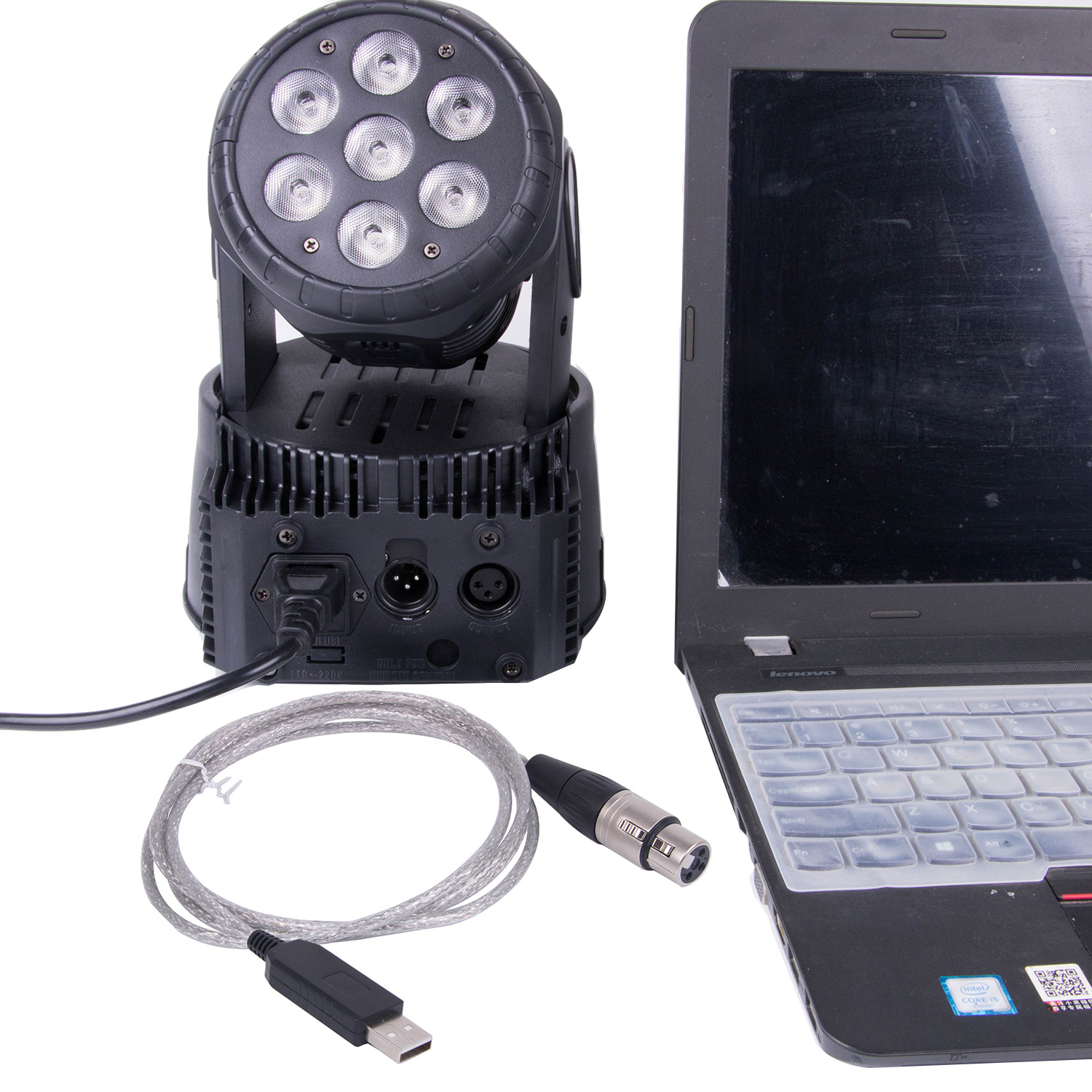
Usb To Dmx Interface Adapter Stage Lighting Disco Light Dj Dmx Interface Usb Party Lights Beam Usb Led Dmx 512 Interface
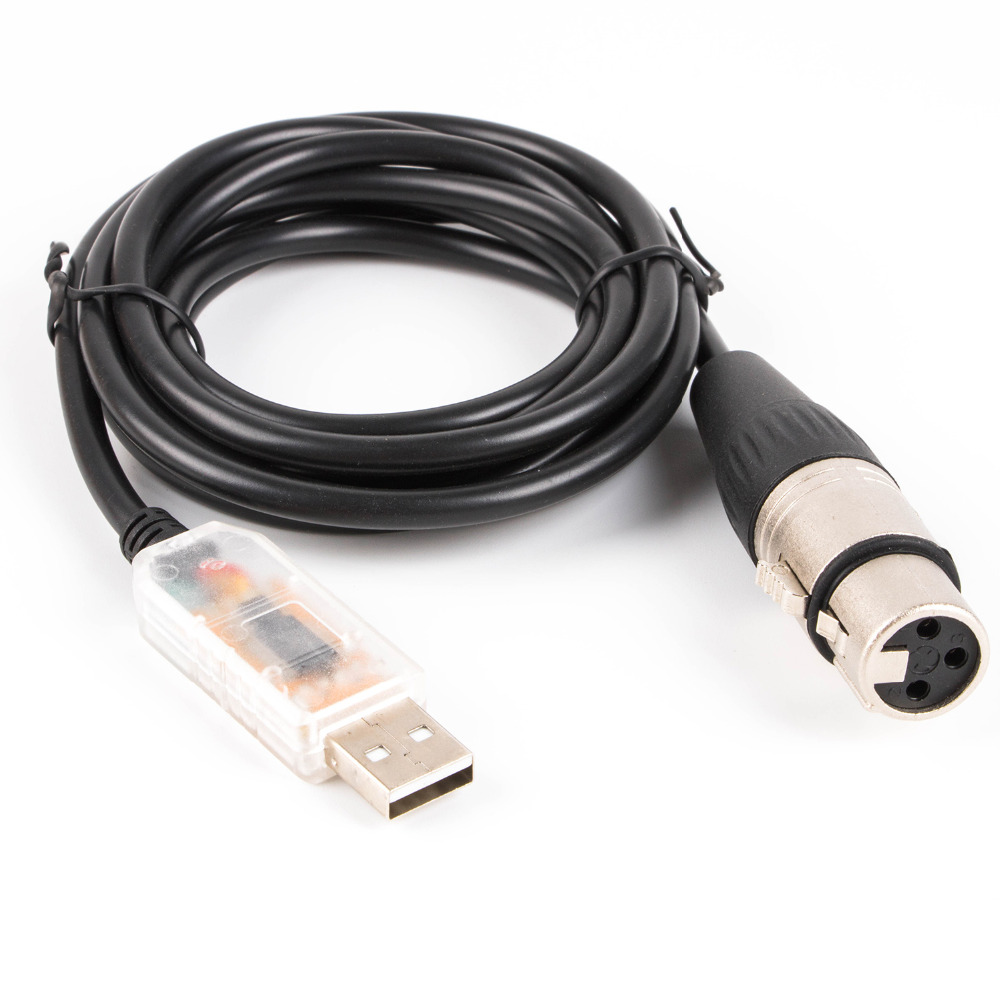
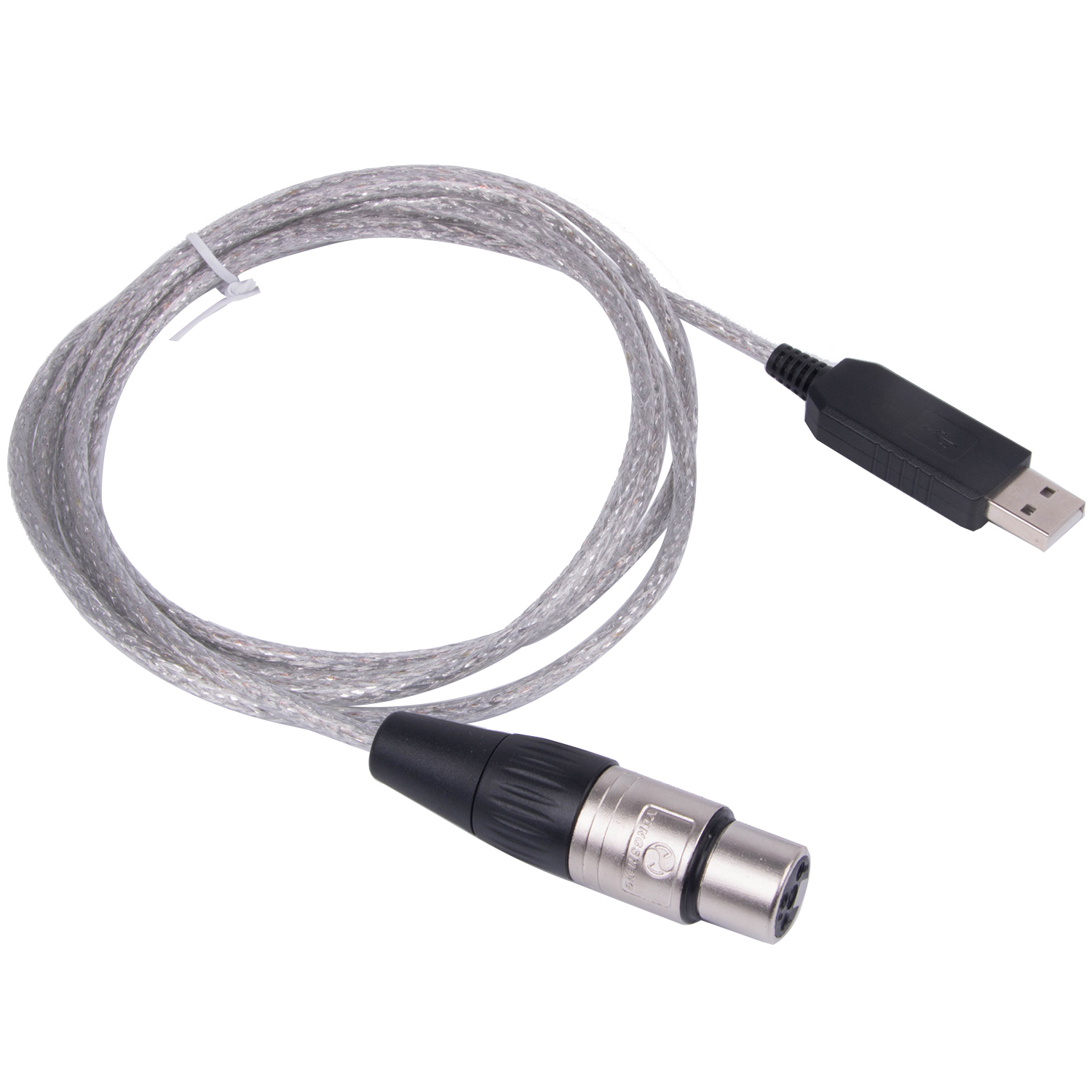
USB to RS485 dmx cable for Stage Lighting Equipment control
USB RS485 TO XLR 3P female socket for dmx cable
XLR 3P male/female, XLR 3P female
USB RS485 converter
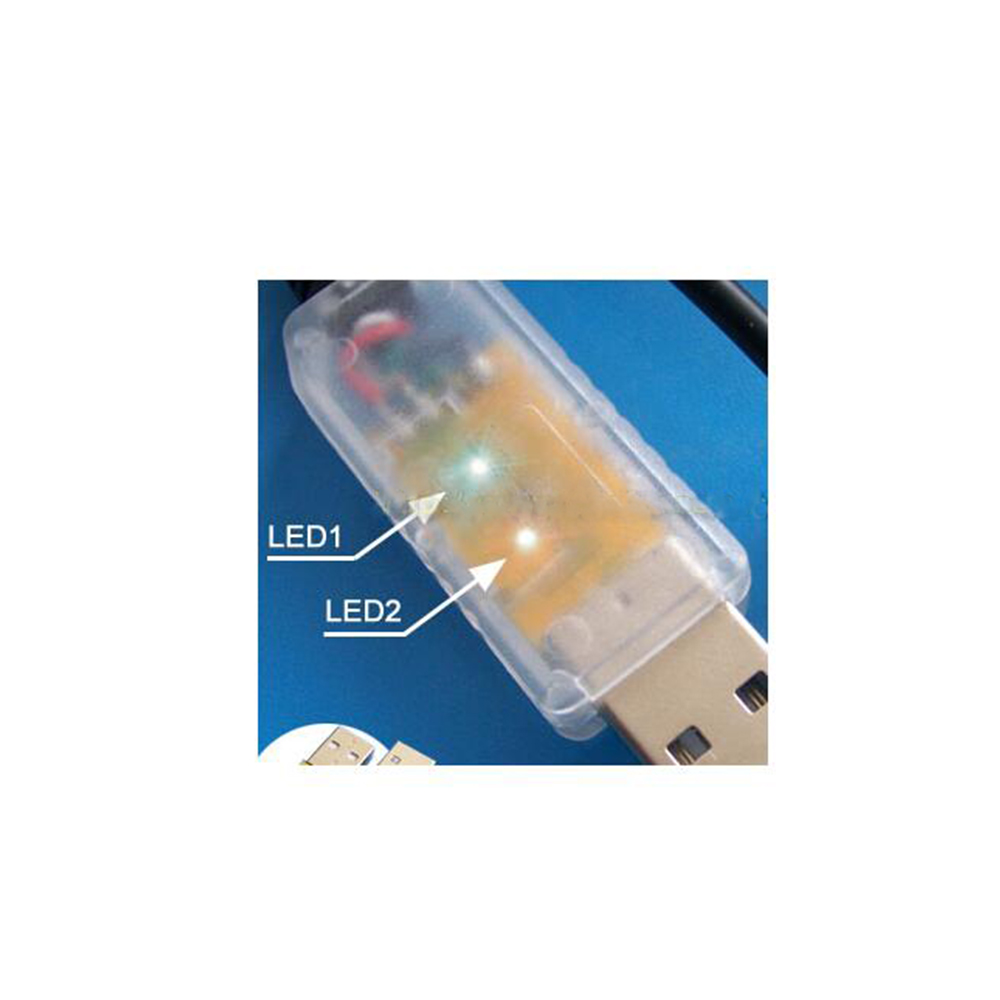
FT232+SP485
300 ~ 3Mbps baud rate
Up to 5km distance transfering
half duplex,non-isolated
ESD protection integrated
Support Android, Support Win 8, Win 7, win 10, Linix,
Mac OS, Android
Internal 1024 byte EEPROM
support Vendor ID re-write,support Mprog3.5
Support FTDI VCP driver and D2XX driver
26AWG * 3 core, OD4.0mm, PVC jacket
FTDI driver download website:ftdichip.com;
Freestyler software download website:freestylerdmx.be
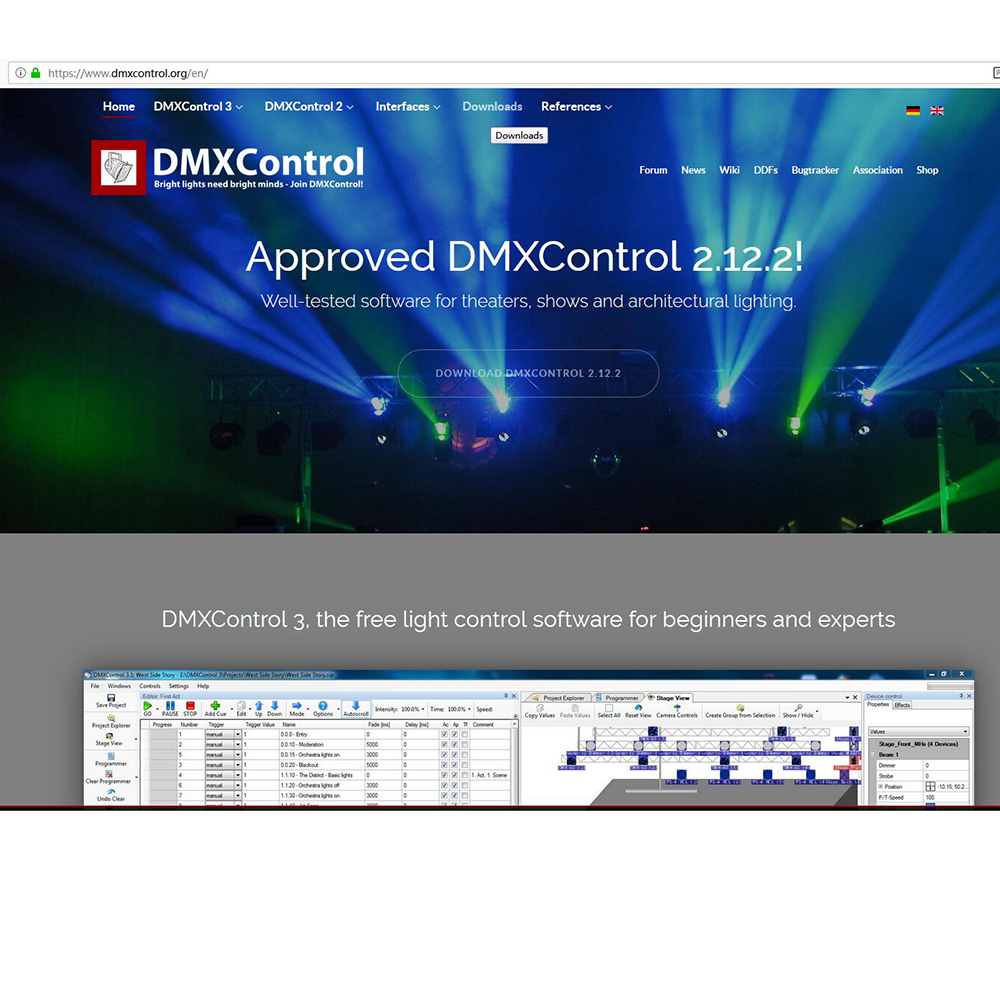
DMX software website: dmxcontrol.org/en/downloads.html
USB
Drivers are available which allow FTDI devices to work with the following operating systems:
Windows 10
Windows 8.1 x64
Windows 8
Windows 8 x64
Windows Server2012
Windows Server 2008 R2
Windows 7
Windows 7 x64
Windows Server 2008
Windows Server 2008 x64
Windows Vista
Windows Vista x64
Windows Server 2003
Windows Server 2003 x64
Windows XP
Windows XP x64
Windows ME
Windows 98
Linux
Mac OS X
Mac OS 9 Mac OS 8
Windows CE.NET (Version 4.2 and greater)
Android
Windows RT
Package:
1XDMX control RS485 cable
USB TO DMX Interface Control Cable Install Software Test Guide:
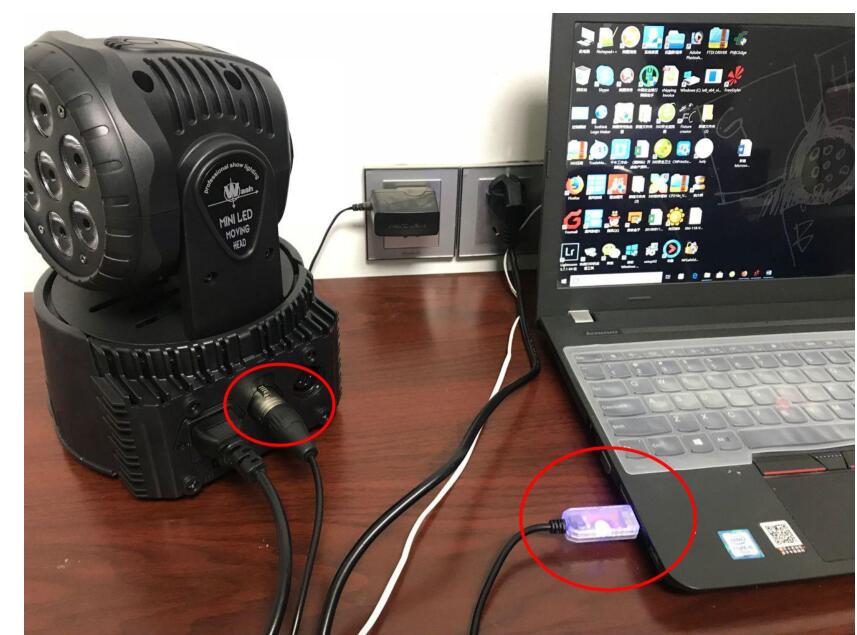
1, Connect your PC to DMX stage light
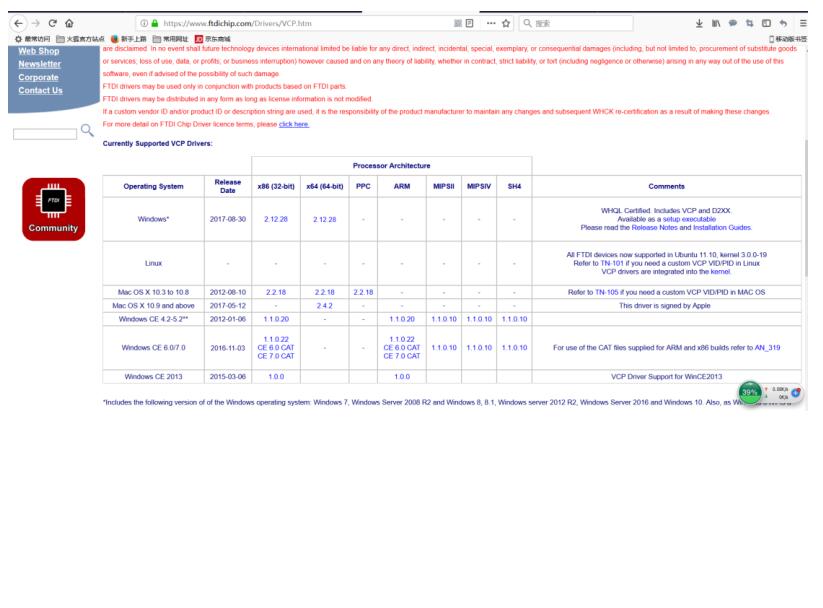
Step 2: Download the FTDI driver from official website (or free installation)
Generally speaking, WIN7/ Win8/Win10 will recognize the serial com port . If you can not find the serial port (do not recognize it), please go to FTDI website or use our Mini CD to intall the FTDI Chipset Driver .
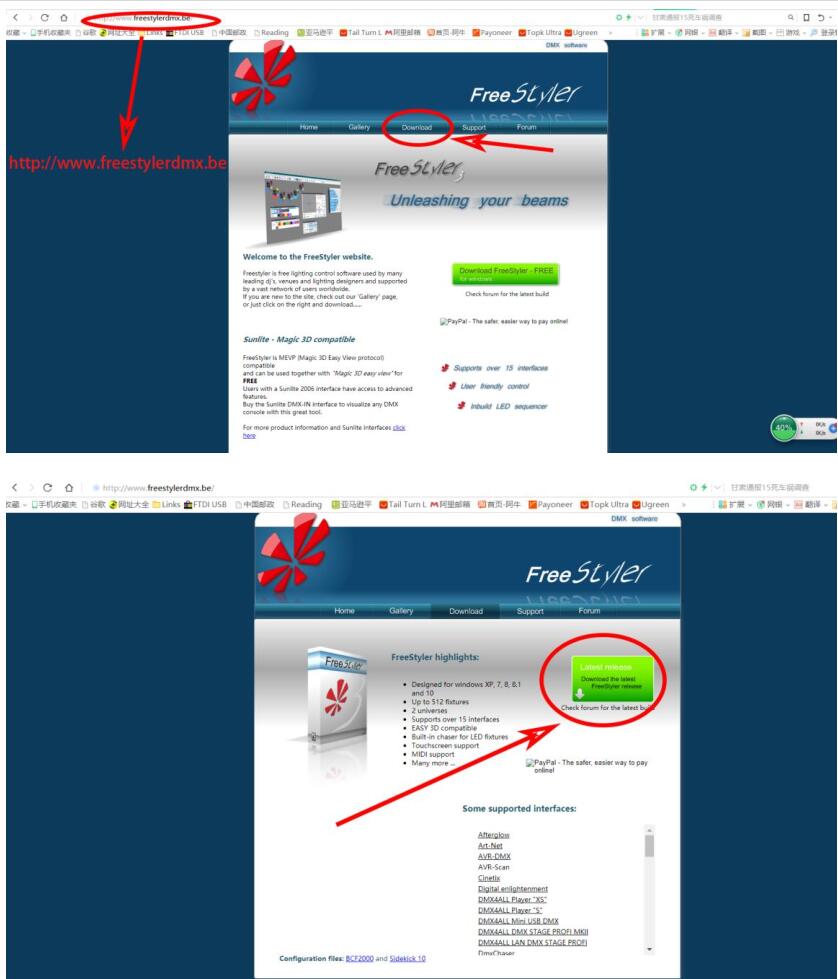
Step 3 : Download the third party freestyler software
Download website: www.freestylerdmx.be
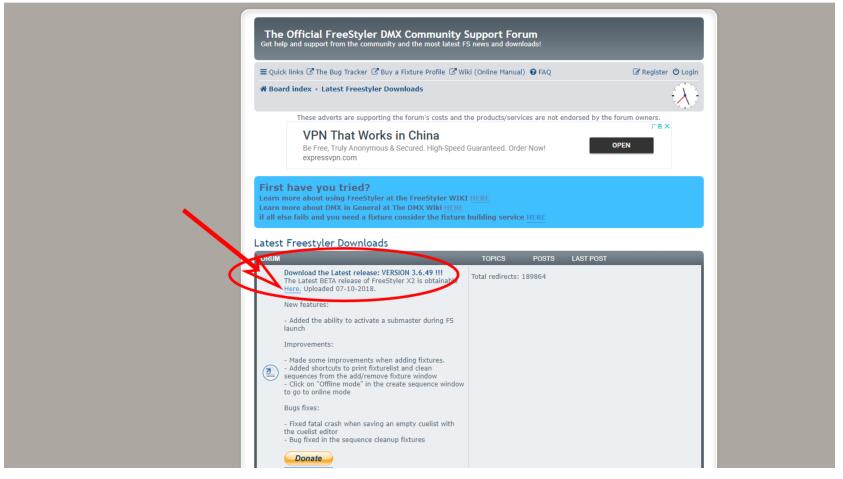
And then we can choose the latest release version 3.6.49 . and click the button
“here” to download.
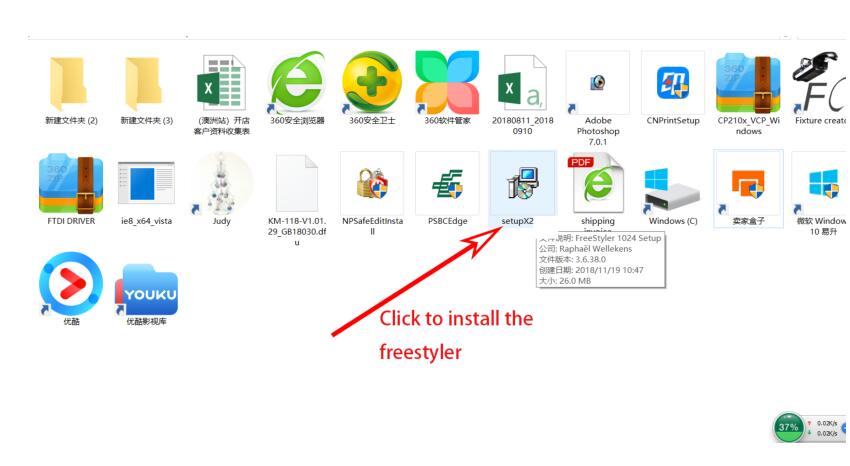
Step 4: Install the freestyler software
If there are shows some error when you installing , you can choose the “ignore”to
continue .
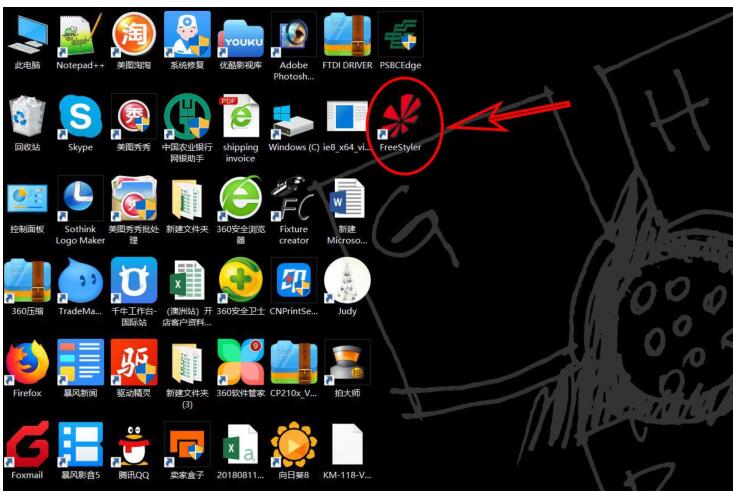
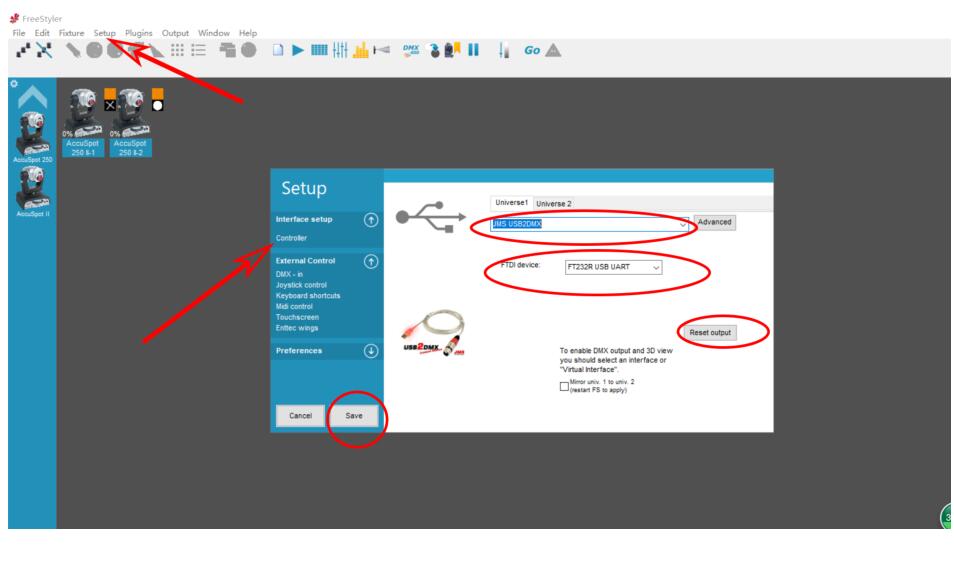
Step 5: Open the freestyler software (details see the vedio) .
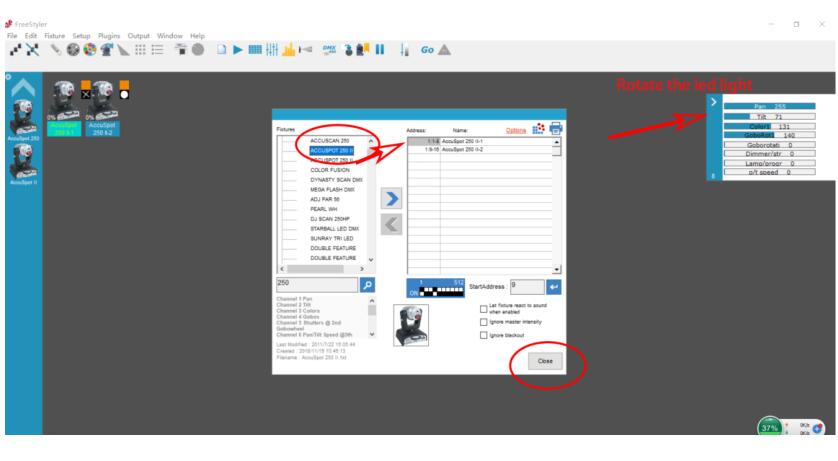
Set or add the Light as in picture
Step 6: Rotate the LED Moving light
Control the led stage light by software now
Finally, FOR More functions , Would you please let your Profession Light Control engineer to set it .
The MORE PHOTOS FOR YOUR REFERENCE AS FOLLOWS:
Meet the intelligent lighting control system based on RS485 bus
CREATOR Express CR-DMX512 expansion card is based on the actual needs of the user and optional, is mainly used to increase the support of the control host DMX512 control protocol. Used to control the series of lamps that support the DMX512 protocol, such as moving head lights, LED marquees, LED rotating bulbs, DMX crystal magic ball lights, and home stage lighting. main feature:
Use the internationally accepted DMX512 transmission protocol;
Up to 512 channels of output can be sent to a single card, and 4 DMX512 control cards can be supported in a single console.
256 levels of dimming
Standard EIA485 interface;
Using a combination of balanced drivers and differential receivers, the ability to resist common-mode interference is enhanced, that is, noise immunity is good;
The DMX512 card can transplant the control of the stage lighting to the touch screen or the tablet computer. It can be used to preset the scene and simplify the operation.
Can directly control any dimmer using the same protocol to form a digital dimming control system;
Can control all kinds of DMX512 protocol dimmers, silicon boxes, controllers, and even cold flame machine, smoke screen, computer lights and other effects equipment;
It can store light scenes, edit chase programs, and support dimming consoles to run manual dimming scenes, integrate control scenes, and chase programs. From the above we can know that he is supporting the 485 port protocol.
What is DMX512?
In the dimming and control of LED lamps, a large number of people have adopted the DMX512 control protocol, which was proposed by the United State Institute for Theatre Technology, Inc. in August 1986 and can be transmitted on a pair of lines. 512 thyristor dimming brightness information standard. The DMX512 communication mode uses an asynchronous communication format. Each dimming point consists of 11 bits, one of which is a start bit, 8 bits of dimming data, and two stop bits. Each transmission can have 512 dimming points. EIA485 (RS485) DMX512 is designed around the industry standard EIA485 interface. EIA485 belongs to the "electrical" end of the interface, voltage, and current. How to use: A dmx512 controller is the heart of many stage lighting systems. These controllers usually have stage lights installed anywhere they are found, including theaters, school halls, and even churches. The DMX 512 controller works by a series of sliders. The number and sum of each slider is called the channel. Most entry-level controllers will use 4- or 8-channel systems. The stage lights are connected to a specific channel of the DMX 512 controller. The slider will then control the on/off function of the light. Set the light DIP switch to the correct channel. Each DMX light will have a pair of numbered switches. These small white switches will range from 1 to 256, depending on the specific light. For the first light, push the "1" mark on the switch to the "on" position. This will set this light to be controlled by the DMX controller with slider number 1. Set the second light's DIP switch. If you want this light to work with the first light hole at the same time, set the switch to "1" marked as "on", just like the first light. If you want to control it from the first independent light, then set the switch to "2" marked as "ON". This will set the light to be controlled by the DMX controller with the number of sliders 2. Connect a DMX cable to the back of the DMX 512 controller. Plug it into the port labeled "DMX OUT" and you're back. Connect the other end to the first DMX light. The light will have a port labeled "DMX in" at this end of the connecting cable. The second DMX cable is connected to this first light. Use the "DMX OUT" port labeled to connect the cable. Run the cables connected to the second light to combine them. This end is connected to the "DMX in" port of the second hole. There should now be cables from the DMX controller, with the first light, and two indicator lights as well as cables. Test lighting control. Power on the DMX 512 control board. Push slider channel 1 all the way up to 100% strength. If the lamp is set to control at the same time, this should be on both power indicators. If not, then it should only have the power light on. If the lamps are all set up with separate controls, press the slider channel 2 all the way up to 100% intensity, on the power indicator light 2. Follow the above steps, if necessary, to repeat the DIP switch settings and connect the DMX cable as many lights as possible.
About FT232RL
The FT232R is the latest device to be added to FTDI?s range of USB UART interface Integrated Circuit Devices. The FT232R is a USB to serial UART interface with optional clock generator output, and the new FTDIChip-ID? security dongle feature. In addition, asynchronous and synchronous bit bang interface modes are available. USB to serial designs using the FT232R have been further simplified by fully integrating the external EEPROM, clock circuit and USB resistors onto the device.
The FT232R adds two new functions compared with its predecessors, effectively making it a "3-in-1" chip for some application areas. The internally generated clock (6MHz, 12MHz, 24MHz, and 48MHz) can be brought out of the device and used to drive a microcontroller or external logic. A unique number (the FTDIChip-ID?) is burnt into the device during manufacture and is readable over USB, thus forming the basis of a security dongle which can be used to protect customer application software from being copied.
Single chip USB to asynchronous serial data transfer interface.
Entire USB protocol handled on the chip - No USB-specific firmware programming required.
UART interface support for 7 or 8 data bits, 1 or 2 stop bits and odd / even / mark / space / no parity.
Fully assisted hardware or X-On / X-Off software handshaking.
Data transfer rates from 300 baud to 3 Megabaud (RS422 / RS485 and at TTL levels) and 300 baud to 1 Megabaud (RS232).
In-built support for event characters and line break condition.
New USB FTDIChip-ID? feature.
New configurable CBUS I/O pins.
Auto transmit buffer control for RS485 applications.
Transmit and receive LED drive signals.
New 48MHz, 24MHz,12MHz, and 6MHz clock output signal Options for driving external MCU or FPGA.
FIFO receive and transmit buffers for high data throughput.
256 Byte receive buffer and 128 Byte transmit buffer utilising buffer smoothing technology to allow for high data throughput.
Adjustable receive buffer timeout.
Synchronous and asynchronous bit bang mode interface options with RD# and WR# strobes.
New CBUS bit bang mode option.
Integrated 1024 bit internal EEPROM for I/O configuration and storing USB VID, PID, serial number and product description strings.
Device supplied preprogrammed with unique USB serial number.
Support for USB suspend / resume.
Support for bus powered, self powered, and high-power bus powered USB configurations.
Integrated 3.3V level converter for USB I/O .
Integrated level converter on UART and CBUS for interfacing to 5V - 1.8V Logic.
True 5V / 3.3V / 2.8V / 1.8V CMOS drive output and TTL input.
High I/O pin output drive option.
Integrated USB resistors.
Integrated power-on-reset circuit.
Fully integrated clock - no external crystal, oscillator, or resonator required.
Fully integrated AVCC supply filtering - No separate AVCC pin and no external R-C filter required.
UART signal inversion option.
USB bulk transfer mode.
3.3V to 5.25V Single Supply Operation.
Low operating and USB suspend current.
Low USB bandwidth consumption.
UHCI / OHCI / EHCI host controller compatible.
USB 2.0 Full Speed compatible.
-40°C to 85°C extended operating temperature range.
Drivers are available which allow FTDI devices to work with the following operating systems:
Windows 10
Windows 8.1 x64
Windows 8
Windows 8 x64
Windows Server2012
Windows Server 2008 R2
Windows 7
Windows 7 x64
Windows Server 2008
Windows Server 2008 x64
Windows Vista
Windows Vista x64
Windows Server 2003
Windows Server 2003 x64
Windows XP
Windows XP x64
Windows ME
Windows 98
Linux
Mac OS X
Mac OS 9
Mac OS 8
Windows CE.NET (Version 4.2 and greater)
Android
Windows RT
Support for WinCE7.0
Initial functional testing conducted by FTDI has shown that the FTDI drivers function as expected on Windows CE 7.0
Support for older versions of Windows Desktop
NOTE: Microsoft have ended support for certifying XP and VISTA through their WHCK test program. As such current builds will still work on XP and VISTA but are not Microsoft certified.
Differences in Driver API
For most of these operating systems two types of driver are available: Virtual COM Port (VCP) drivers and direct (D2XX) drivers. The VCP driver emulates a standard PC serial port such that the USB device may be communicated with as a standard RS232 device. The D2XX driver allows direct access to a USB device via a DLL interface.
To locate the drivers you want to install for a device, select which of the driver types you wish to use (VCP or D2XX) and then locate the appropriate operating systems. With the exception of Windows 98 and Windows ME, all devices are supported in each driver package.
If a VCP driver is required for Android please refer to the following application note: TN 132 Adding FTDI Devices VCP Driver Support to Android
aeProduct.getSubject()
>> Shipping & Handling
1. Processing Time: 1-3 days for all orders.
2. Special Requests: Please list your special requests (color, package, etc) in the Notes Section when check out.
3. Shipping Way: Most orders(less than 2KG) are shipped by Aliexpress standard shipping / Netherland Post / Swiss Post
Under $5 orders are shipped by Seller Method Shipping.
Any other requirements about the shipping way, please contact us.
4. Delivery Time: Normally 15-60 days to get the order, except Brazil.Sometime the transit time may be long and vary,particularly during the holiday season.
Please contact us if you need help for the tracking.
5. Import Duties: Import duties, taxes and charges are not included in the item price or shipping charges.
>> Return & Refund
Return Policy: We accept Aliexpress return policy; Buyer pays return shipping.
Refund Policy: We provide reliable service policy.
• If you receive the goods broken. Contact us for Full money refund or replacement.
• If you don't receive the goods in stated delivery time. Contact us for Full money refund or replacement.
• If you receive the goods with quality problem, contact us for half or full amount refund.
• Any disatified with the product, please contact us first instead to open dispute or leave negative feedback.
>> Feedback
If you are satisfied with the item while it is in good condition, we sincerely to invite you to leave us all 5-star rating positive feedback.
If you are disatisfied with the item or service, please contact us first, we will supply the best solution and work harder to give you more excellent service.